SEO Agency Reporting: How to Build Reports That Actually Help Clients
Learn how to create SEO agency reports that connect keyword rankings, organic traffic, technical performance, and business results. Discover practical reporting workflows, automation tools, and ways to track website performance changes over time.
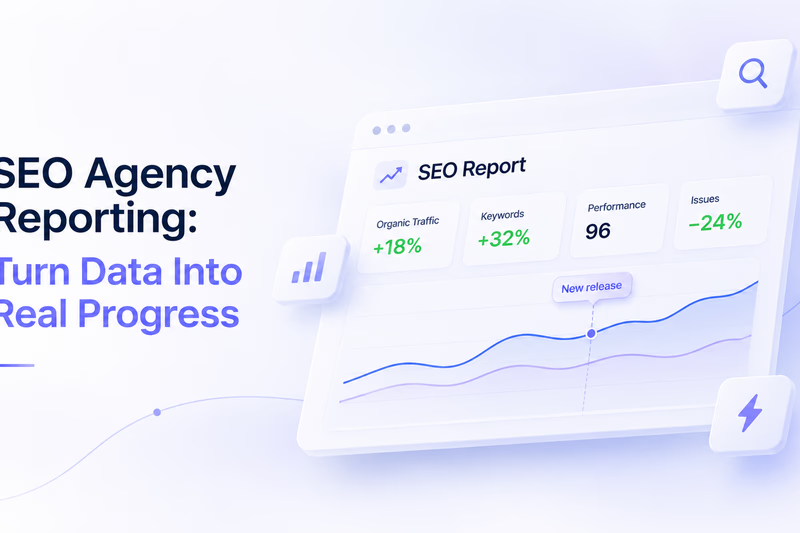
SEO agencies collect enormous amounts of data. Google Search Console tracks clicks, impressions, and search queries. Analytics platforms measure traffic and conversions. Rank trackers monitor keyword positions, while technical auditing tools identify problems that might affect a website’s visibility.
The challenge is turning all that information into a report that clients can understand and use. A twenty-page document filled with charts may look impressive, but it often fails to answer the questions clients care about: Is SEO bringing in more business? What improved this month? What went wrong? What should we do next?
Effective SEO reporting connects business results with technical evidence. It helps clients understand progress while giving agencies the information they need to make better decisions.
What Should an SEO Agency Report Include?
A useful SEO analysis report should explain what changed, why it matters, and what the agency plans to do about it.
Start with business outcomes rather than technical metrics. For ecommerce clients, that usually means organic revenue, transactions, and conversion rates. For B2B companies, qualified leads, demo requests, and inquiries may be more important.
Organic traffic and keyword rankings provide supporting context, but neither tells the complete story. A website can gain thousands of visitors without generating additional sales. It can also lose rankings for informational keywords while improving visibility for searches that bring in paying customers.
This is why reporting should reflect the client’s business model instead of relying on one universal template.
A practical monthly report usually covers organic search performance, keyword visibility, technical website health, completed work, and priorities for the following month.
The most important part is explaining the relationships between these areas. Clients need to understand not only what happened but also what the agency learned from the results.
How to Create an SEO Keyword Analysis Report
Keyword rankings remain an important part of SEO reporting, but tracking hundreds of positions without context rarely provides useful insight.
A better SEO keyword analysis report groups queries by business relevance, search intent, or website structure. An ecommerce company might track product categories separately, while a software business could distinguish commercial keywords from informational searches.
This makes it easier to understand where visibility is improving and which areas need attention.
Google Search Console provides information about clicks, impressions, search queries, and average positions. Dedicated SEO ranking report tools add capabilities such as location-specific tracking, competitor comparisons, and historical ranking data.
When selecting SEO ranking report software, consider how frequently rankings are updated, which countries and devices are supported, and how easily the results can be integrated into client reports.
It is also important to distinguish ranking changes from fluctuations in search demand. A page might receive fewer clicks because fewer people are searching for the topic, even when its position remains stable.
The goal is not to report every keyword movement. It is to show whether the website is becoming more visible for searches that matter to the business.
Technical SEO Reports Need More Than Audit Scores
Technical SEO reporting can quickly become overwhelming. A typical audit may identify hundreds of issues involving redirects, canonical tags, indexing directives, internal links, and page performance.
Presenting every warning to a client rarely helps them understand what needs to happen next.
Instead, prioritize problems according to their potential impact. An accidental noindex directive affecting important commercial pages deserves immediate attention. A minor metadata issue on an archived page probably does not.
An SEO audit report online provides a useful snapshot of a website’s technical condition. It can identify existing problems and establish a baseline for future improvements.
However, a single audit cannot explain everything that happened between reporting periods.
Imagine an ecommerce website with thousands of product pages. An agency completes its monthly audit and finds no significant performance problems. Two weeks later, developers update the product-page template and introduce additional JavaScript.
The website still works, but product pages now load more slowly. The next monthly audit may detect the problem, although the agency still needs to determine when the regression appeared and which pages were affected.
This is where historical performance monitoring becomes particularly useful.
Why Website Performance Belongs in SEO Reporting
Website performance is often treated as a development responsibility, but it deserves a place in technical SEO reports.
Google’s Core Web Vitals measure three important aspects of user experience: loading performance, responsiveness, and visual stability.
Largest Contentful Paint (LCP) measures when the largest eligible visible content element appears. Interaction to Next Paint (INP) measures responsiveness to user interactions. Cumulative Layout Shift (CLS) measures unexpected movement of page elements.
These metrics do not determine search rankings on their own, and improving them does not guarantee additional organic traffic. However, they help identify technical problems that affect website visitors.
Google Lighthouse provides additional laboratory measurements that can help investigate loading delays, JavaScript execution, and layout instability.
The difficulty is interpreting the results correctly.
A Lighthouse Performance score dropping from 85 to 78 does not necessarily mean the website became slower. Results can vary because of testing conditions, page content, and third-party resources.
A more reliable approach is to compare individual metrics across repeated audits under consistent conditions.
If LCP increases from approximately 2.1 to 3.2 seconds across several comparable tests after a deployment, the agency has a stronger reason to investigate.
From One-Time Audits to Performance Monitoring
Monthly audits leave considerable gaps between measurements, particularly for websites that receive frequent updates.
A performance regression introduced shortly after one audit might remain unnoticed until the next reporting period. By then, several additional releases may have made the original cause harder to identify.
Scheduled performance checks help narrow that gap by preserving a history of measurements for important URLs.
Instead of asking whether a page is currently slow, an agency can investigate whether it became slower, when the change appeared, and which pages were affected.
This is especially valuable for ecommerce websites with different page templates. A homepage may perform well while hundreds of product pages experience problems after an update.
PSI Lynx supports this workflow through bulk Lighthouse and PageSpeed checks, scheduled audits, and historical performance measurements.
Agencies can monitor important URLs, compare mobile and desktop results, and review performance changes over time. This adds a technical monitoring layer alongside keyword tracking, analytics, and traditional SEO auditing.
SEO Automated Reporting: What Should Agencies Automate?
As an agency grows, preparing reports manually becomes increasingly expensive.
Exporting Search Console data, updating spreadsheets, collecting ranking information, and formatting presentations may be manageable for a few clients. Repeating the process across dozens of accounts consumes time that could be spent on analysis and optimization.
SEO automated reporting reduces repetitive work by collecting information from multiple sources and presenting it in a consistent format.
A reporting system might combine organic search data, conversion metrics, keyword positions, and technical measurements into a single dashboard.
When evaluating SEO agency reporting software, consider integrations, historical data retention, scheduled exports, client access, and support for multiple accounts.
Some agencies prefer dedicated SEO business report software, while others build their reporting workflows using Looker Studio and specialized tools.
Both approaches can work. The important consideration is whether the system provides enough information to explain meaningful changes.
Automation should handle data collection, not replace professional judgment. A dashboard can identify a traffic decline, but understanding whether it resulted from ranking changes, indexing problems, seasonal demand, or website updates still requires investigation.
Can You Create a Free SEO Analysis Report?
Agencies can build useful reports without investing in an expensive software stack.
Google Search Console provides search performance data, while GA4 can measure organic traffic and conversions when configured correctly. Looker Studio can organize this information into reusable dashboards.
Google Lighthouse and PageSpeed Insights offer free performance testing for individual pages.
Together, these tools provide a reasonable foundation for an SEO analysis report free of dedicated reporting subscriptions.
However, free workflows often require additional manual work, particularly when monitoring large websites or comparing technical performance across multiple reporting periods.
Agencies should consider the time required to maintain their reporting process, not just the subscription price.
An SEO report download feature can also be useful when clients need to share results internally. Whether the final document is a PDF, spreadsheet, or dashboard, the information should remain understandable without requiring access to every underlying tool.
A Practical Monthly SEO Reporting Structure
A good report does not need dozens of sections. Most agencies can communicate their results using six:
-
Executive summary: The most important results, problems, and priorities from the reporting period.
-
Organic performance: Traffic, conversions, and business outcomes, including explanations of significant changes.
-
Keyword visibility: Important ranking movements across commercially relevant keyword groups.
-
Technical health: Critical issues discovered, problems resolved, and remaining risks.
-
Website performance: Core Web Vitals trends, Lighthouse measurements, and significant performance regressions.
-
Next steps: Completed work and priorities for the following reporting period.
This structure keeps the report focused while giving clients enough information to understand the agency’s work.
Better Reporting Starts With Better Questions
SEO reporting should do more than document activity. It should help agencies understand what is working, identify problems early, and decide where to invest their efforts.
Traffic and rankings explain changes in organic visibility. Conversion data connects those changes to business outcomes. Technical audits identify website problems, while historical performance monitoring helps reveal when important pages become slower after updates.
Together, these measurements provide a more complete picture than any individual SEO tool.
For agencies managing frequently updated websites, bulk website performance monitoring can help fill the gaps between periodic audits and make technical reporting more informative.
The objective is not to produce longer reports. It is to give clients clear explanations, provide development teams with useful evidence, and spend less time assembling data and more time improving results.