
How to Turn a Google Lighthouse Report Into an Action Plan
Most Lighthouse reports tell you what is wrong. Very few tell you what to do next. Here's how to turn audit results, Search Console data, and performance metrics into a clear action plan that actually improves rankings and user experience.
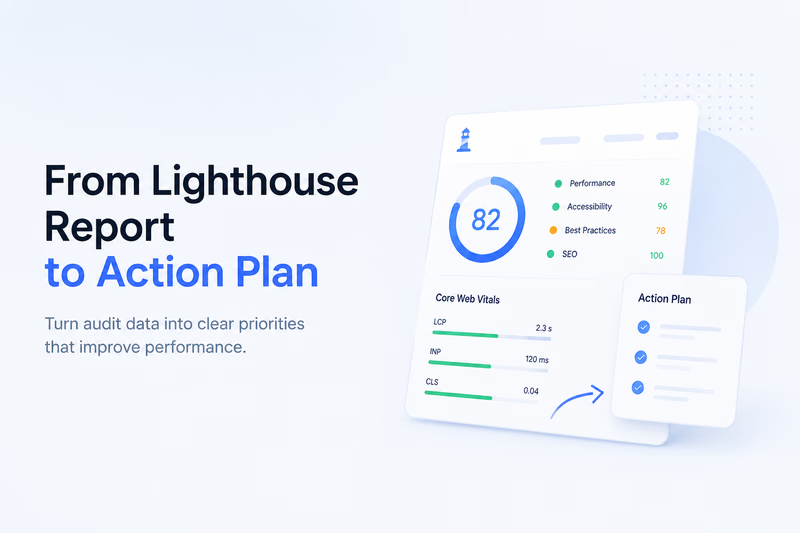
A Lighthouse report tells you what is slow. It rarely tells you what to fix first, who should own it, or whether real users even feel the problem. Turning it into an action plan takes seven steps: read the metrics instead of the headline score, cross-check against Search Console field data, sort issues by user impact, convert each finding into an owned task, watch for regressions after every release, make the review recurring, and use the report to drive decisions rather than fill a folder.
Running a Google Lighthouse report is easy. Acting on it is where most teams get stuck. A typical audit generates dozens of recommendations, warnings, and metrics. It looks impressive, but many owners, SEO teams, and developers struggle to answer one simple question: what should we fix first? A report by itself does not improve rankings, conversions, or user experience. The value comes from turning it into a plan you can prioritize, delegate, and measure.
Step 1: Stop looking at the Lighthouse score first
One of the biggest mistakes people make is focusing on the overall Lighthouse score. An 85 versus a 92 looks meaningful, but users do not experience scores. They experience page speed, layout shifts, slow interactions, and broken functionality. Instead of obsessing over the final number, start with the metrics that directly affect visitors:
- Largest Contentful Paint (LCP)
- Interaction to Next Paint (INP)
- Cumulative Layout Shift (CLS)
- Time to First Byte (TTFB)
These map directly to Core Web Vitals and influence both user experience and search visibility.
Step 2: Compare Lighthouse data with Search Console reports
A Lighthouse audit is lab data: it shows how a page performs under controlled conditions. Real users often experience something different. Before building an action plan, compare your Lighthouse findings with your Search Console reports, specifically the Core Web Vitals section and the search console performance report.
That answers an important question: are users actually experiencing the issues Lighthouse reports? Sometimes a page gets a mediocre Lighthouse score but performs well for real users. Sometimes the opposite happens, and a page looks healthy in testing while real visitors suffer slow loads. Combining Lighthouse results with search console reports gives a more realistic picture of website health.
Step 3: Separate critical issues from nice-to-have improvements
Not every recommendation deserves immediate attention. Many teams waste weeks chasing small improvements while ignoring major bottlenecks. A practical prioritization framework looks like this:
High priority
- Slow server response times
- Large render-blocking JavaScript files
- Massive images affecting LCP
- Layout shifts affecting CLS
- Third-party scripts causing performance degradation
Medium priority
- Unused JavaScript
- Excessive CSS
- Font optimization opportunities
- Cache configuration improvements
Low priority
- Small score improvements with little user impact
- Minor accessibility warnings unrelated to business goals
- Experimental optimization opportunities
The goal isn’t a perfect score. It is improving the experience users actually notice.
Step 4: Turn recommendations into tasks
Most SEO audit free report tools stop at identifying issues, and that is where many projects stall. Every recommendation should become a concrete task with an owner.
Instead of “Reduce unused JavaScript,” write “Remove abandoned chat widget script from product pages. Estimated impact: reduce JavaScript payload by 350 KB.” Instead of “Improve LCP,” write “Convert homepage hero image to WebP and preload above-the-fold assets.” Specific actions are easier to estimate, prioritize, and complete.
Step 5: Track changes after every release
Many performance problems don’t appear during development. They appear weeks later. A marketing team adds a tracking pixel. Someone installs a Shopify app. A new personalization platform gets deployed. A popup tool goes in before a campaign. Individually each change seems harmless; together they can cause serious regressions. This is why a single seo evaluation report or one-time Lighthouse audit is rarely enough. Monitoring should continue after releases so regressions surface before rankings and conversions decline.
Step 6: Create a repeatable reporting process
Many agencies generate a Lighthouse report once, send a PDF, and move on. A better approach is recurring reviews. Your monthly process might include:
- Run Lighthouse audits.
- Review Search Console data.
- Compare results against previous reports.
- Identify new regressions.
- Prioritize fixes.
- Assign owners.
- Measure results after implementation.
Over time this builds a consistent SEO reporting workflow instead of isolated technical audits.
Step 7: Use reports to drive decisions, not just documentation
A report should answer questions, not just collect data. Whether you use a seo analysis report tool, a seo report checker, or download a seo audit report for clients, the final deliverable should clearly explain:
- What is wrong?
- Why does it matter?
- What should be fixed first?
- Who should fix it?
- How will success be measured?
Without those answers, even the most detailed report becomes another document nobody opens again.
Turning audits into a habit
A Google Lighthouse report is not an action plan. It is raw diagnostic data. The value appears when you combine Lighthouse results with Search Console field data, prioritize by business impact, assign ownership, and continuously monitor changes over time. The websites that keep improving aren’t chasing perfect scores. They turn every audit into a structured process for finding, prioritizing, and fixing real problems before users notice them.