
Web Performance Monitoring vs One-Time Audits
Every new script, plugin, and deployment adds risk. Alone they're harmless. Together they create performance debt that slowly erodes rankings, traffic, and revenue.
For the full picture, see our Core Web Vitals monitoring guide.
What actually protects SEO?
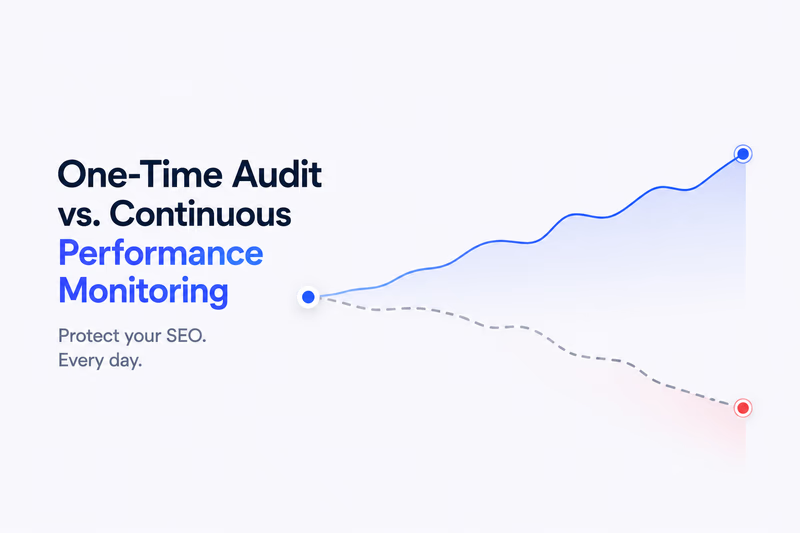
Your site passed a web test speed check six months ago. Rankings have dropped since. Sound familiar? This is the core problem with one-time audits: they capture a single moment. Continuous performance monitoring is the fix: web performance monitoring tracks your site continuously, catching regressions the moment they happen. This article breaks down the real difference and what you actually need to protect your SEO.
One-time audits: useful, but limited
A one-time audit gives you a snapshot. Run a landing page speed test today and you get a score, but that score reflects right now. Deploy a new plugin tomorrow, add a hero video next week, or let your CDN contract lapse, and your score silently collapses.
What audits do well
- Establish a performance baseline before a redesign or launch
- Identify quick wins: render-blocking scripts, uncompressed images, missing caches
- Satisfy a client or stakeholder asking for a one-off page speed optimization report
- Diagnose an existing ranking problem after you notice the drop
What audits miss
- Performance regressions introduced by third-party scripts (ads, chat widgets, analytics)
- Gradual payload growth as your CMS accumulates new assets
- Server-side slowdowns during peak traffic hours
- Core Web Vitals fluctuations across real-user devices and connections
A one-time audit is a photograph. Web performance monitoring is a security camera.
Why page speed directly drives SEO
Google uses Core Web Vitals, namely Largest Contentful Paint (LCP), Interaction to Next Paint (INP), and Cumulative Layout Shift (CLS), as direct ranking signals. A slow site doesn’t just frustrate users; it loses positions.
- LCP (Largest Contentful Paint): loading speed of the largest visible element. Target: under 2.5 seconds.
- INP (Interaction to Next Paint): responsiveness to user interactions. Target: under 200ms.
- CLS (Cumulative Layout Shift): visual stability, how much the layout shifts unexpectedly. Target: under 0.1.
Running a website SEO performance test once tells you if you’re in the green today. Only continuous monitoring tells you if you stay there.
What web performance monitoring actually does
Web performance monitoring runs automated tests on a schedule (hourly, daily, or after every deployment) and alerts you when metrics cross a threshold. Think of it as your speed optimization early-warning system.
Core capabilities you get with continuous monitoring
- Automated alerts when LCP or INP crosses your defined threshold
- Historical trend data so you can correlate drops with specific deploys or content changes
- Synthetic monitoring from multiple geographic locations, not just your own connection
- Real User Monitoring (RUM) data showing how actual visitors experience your pages
- Waterfall charts per test run so you can pinpoint exactly which asset is slowing you down
Audit vs monitoring: side-by-side comparison
| Dimension | One-time audit | Web performance monitoring |
|---|---|---|
| Frequency | Ad hoc, on demand | Continuous (hourly or daily) |
| Regression detection | None until you run the next test | Immediate alert |
| SEO protection | Point in time only | Ongoing |
| Real-user data | No | Yes (with RUM) |
| Historical trends | No | Yes |
| Best for | Baselines and diagnostics | Ongoing SEO health |
When you actually need each
Use a one-time landing page speed test when:
- You’re launching a new site or redesigning an existing one
- You’re investigating a sudden drop in organic traffic
- You need to document performance before a major feature release
- A stakeholder needs a report or benchmark
Use continuous web performance monitoring when:
- Your site is actively indexed and ranking, so any regression hurts
- You deploy code frequently (weekly or more)
- Third-party scripts run on your pages (ads, chat, social embeds)
- You run ecommerce and page speed directly impacts conversion and rankings
- You want to maintain page speed optimization gains over time, not just achieve them once
Tools that cover both
You don’t have to choose between audits and monitoring. The best tools support both workflows:
- Google PageSpeed Insights: free, audit only, includes real-user data via CrUX
- Lighthouse (CLI/CI): free, audit-focused, can be wired into CI pipelines for automated checks
- WebPageTest: free tier for audits, paid plans add scheduled monitoring
- Calibre: paid, strong monitoring and audit combo, no real-user data
- SpeedCurve: paid, full monitoring and RUM, best for teams tracking trends over time
- Datadog Synthetics: paid, enterprise-grade monitoring, integrates with existing observability stacks
For most teams, the practical setup is to run a full website SEO performance test at launch and at major deploys, then hand off to automated monitoring for day-to-day protection.
Setting up a monitoring workflow that protects SEO
You don’t need enterprise tooling to get continuous coverage. Here’s a lean setup that works:
- Define your baselines. Run a full web test speed audit before you start monitoring. These become your alert thresholds.
- Pick your pages. Prioritize the homepage, top-traffic landing pages, and conversion pages. Monitor these daily at minimum.
- Set thresholds, not just goals. Alert when LCP exceeds 2.5s or CLS exceeds 0.1, rather than waiting for a full regression.
- Connect monitoring to your deploy pipeline. Run a synthetic test after every production deploy and fail the deploy if speed drops below threshold.
- Review trends weekly. A slow creep from 1.8s to 2.4s LCP won’t trigger an alert but will cost you ranking over time.
- Re-audit quarterly. Monitoring catches regressions; quarterly audits catch structural issues that monitoring misses, like new render-blocking patterns or architecture changes.
The real risk of skipping monitoring
Here’s the scenario that plays out repeatedly: a team runs a thorough page speed optimization project, achieves excellent scores, and then moves on. Six months later, a new analytics tool ships with a 400kb JavaScript payload. A hero image gets uploaded without compression. A third-party review widget starts loading six additional scripts.
None of these are caught without monitoring. By the time you run your next one-time audit, rankings have already slipped. The damage happened gradually, invisibly. Continuous web performance monitoring is the difference between reacting to SEO damage and preventing it.
Key takeaways
- One-time audits diagnose, they can’t protect. Use them to establish baselines and investigate drops.
- Web performance monitoring is ongoing insurance for your SEO rankings.
- Core Web Vitals are ranking signals, and they change any time your site does.
- The best strategy combines both: audit at launch and major milestones, monitor continuously in between.
- Start with your highest-traffic pages, set LCP/INP/CLS alert thresholds, and connect monitoring to your deploy process.
Don’t treat speed optimization as a project with an end date. Treat it as ongoing infrastructure, because Google does.
Frequently asked questions
What is a website rankings loss audit?
A website rankings loss audit is an investigation performed after a website experiences declining search rankings. The goal is to identify technical, content, performance, or SEO issues that may have contributed to the loss of visibility in search results.
What is the difference between a website rankings loss audit and a website rankings drop audit?
The terms are often used interchangeably. Both refer to the process of analyzing ranking declines, identifying potential causes, and determining what changes are required to recover lost search visibility.
How often should SEO audits be performed?
Most websites benefit from a comprehensive technical SEO audit at least once per quarter. However, relying solely on monthly or quarterly audits can leave significant visibility gaps, especially on websites that change frequently.
Can website performance cause ranking drops?
Yes. Performance issues such as poor Core Web Vitals, slower page loading times, increased JavaScript execution, and server-side delays can negatively affect user experience and contribute to ranking declines over time.
Why do rankings drop months after a website audit?
An audit reflects the state of a website at a specific moment. Rankings may drop later because of new releases, third-party scripts, infrastructure changes, content updates, or performance regressions introduced after the audit was completed.
How does continuous monitoring help with ranking drop analysis?
Continuous monitoring provides historical data that helps teams identify exactly when performance changes occurred. This makes ranking drop analysis and SEO traffic drop investigation significantly more accurate than relying on periodic audits alone.