
Your Rankings Are Up. Your Traffic Is Down. Now What?
A higher ranking doesn't always mean more traffic. Learn why a modern SEO report should combine rankings, CTR, AI visibility, Lighthouse reports, and technical changes to explain what is really happening.
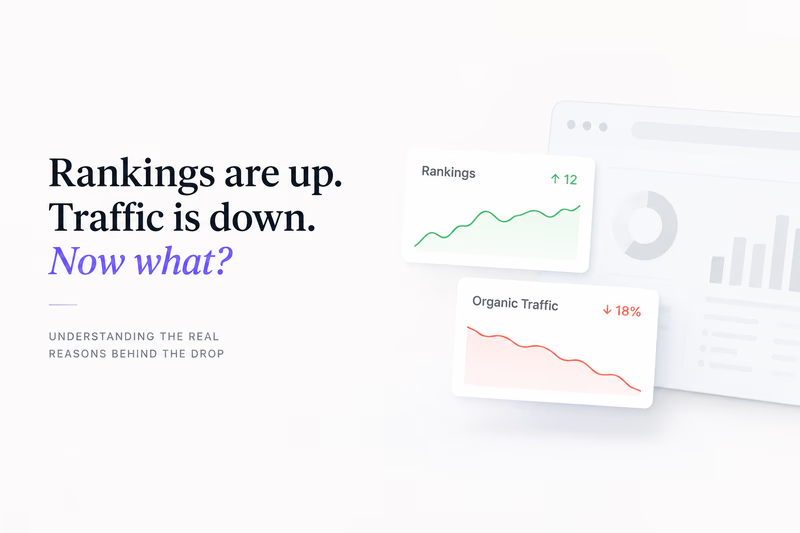
A higher ranking doesn’t always mean more traffic. If your positions are up but organic visits are down, the answer is almost never in the ranking report itself: it’s in click-through rate, AI Overviews eating clicks, a mobile experience that slowly degraded, or a technical change from weeks ago that’s only now affecting behaviour. A modern SEO report has to connect all of those to explain what’s really happening.
Most SEO professionals have seen this at least once. The monthly SEO report looks encouraging. Average positions are improving, more keywords have reached the top ten, and visibility graphs are moving the right way. Then someone opens Google Analytics or Search Console and notices something that doesn’t add up: organic traffic is down.
The first reaction is usually to question the data. Rankings are improving, so traffic should be growing too. Not necessarily. Search has changed dramatically over the last few years. Rankings still matter, but they no longer explain what happens after a user performs a search. Click-through rate, AI-generated answers, mobile experience, and the technical history of a page can all influence whether a ranking actually turns into a visit. That’s why a modern SEO report needs to tell a much bigger story than keyword positions alone.
A ranking report doesn’t tell you everything
For a long time, keyword positions were the primary KPI in SEO. If a page moved from position eight to position three, everyone expected more clicks. Reaching the first position seemed like guaranteed success. That relationship is no longer as straightforward.
Open almost any competitive search result today and you’ll see AI Overviews, shopping results, videos, featured snippets, local packs, People Also Ask blocks, and other Google features competing for attention before users reach the traditional organic listings. Your page may rank higher than it did six months ago while attracting fewer visitors, simply because organic results occupy less space than they used to. This is why a keyword ranking report should never be viewed in isolation. Rankings describe where your pages appear. They don’t explain whether users actually click. A good SEO ranking report combines ranking data with impressions, clicks, and CTR, because without those it’s easy to reach the wrong conclusion.
When CTR becomes the real problem
One of the first places I look when traffic falls despite stable rankings is Search Console. In many cases the explanation is sitting there in plain sight: average position stays almost unchanged while click-through rate steadily declines. Nothing appears broken, yet fewer people choose your result.
There are plenty of reasons for this. Sometimes Google introduces new SERP features that push organic listings lower. Sometimes competitors rewrite their titles and descriptions to make snippets more attractive. Increasingly, AI Overviews answer enough of the question that fewer people click through to any website. If you only look at rankings, none of those changes are visible. A proper web SEO report should always connect rankings with CTR, impressions, and clicks. Otherwise you’re measuring visibility without measuring whether that visibility still generates traffic.
AI visibility is changing SEO faster than rankings
AI has added another layer of complexity. Many searches that previously generated clicks now end inside Google’s own interface. Users get summaries, comparisons, and direct answers without opening multiple websites, and in some industries that shift is already affecting informational queries significantly. That creates situations where rankings stay stable while traffic slowly declines month after month.
This doesn’t necessarily mean your SEO strategy is failing. It means user behaviour is changing. When reviewing an SEO report today, it’s worth asking a different question. Instead of focusing only on positions, ask how visible your content remains inside modern search results. Traditional rankings still matter, but they’re no longer the only place where users discover information.
Mobile performance often explains the missing traffic
Another area that deserves far more attention is performance. I’ve seen websites hold excellent rankings while quietly losing traffic because the mobile experience deteriorated after several releases. Nobody noticed because every individual change looked harmless: a new analytics platform here, another marketing script there, a personalization widget added before a campaign. Each decision made sense on its own. Together they made product pages noticeably slower.
Users don’t compare today’s loading speed with yesterday’s. They just leave when a page feels slow. This is one reason Lighthouse reports remain valuable: they help identify render-blocking resources, excessive JavaScript, oversized images, and other technical problems that directly affect user experience. The mistake many teams make is treating Lighthouse as a one-time diagnostic. One report tells you how the page performs today. It doesn’t tell you whether performance has been slowly getting worse over the last three months.
The missing piece is historical context
One question shows up in almost every traffic investigation: when did this actually start? Surprisingly few SEO reports can answer it.
Imagine a site where developers release a new product page template in April. Marketing adds several third-party scripts in May. A recommendation engine goes live in June. Rankings stay relatively stable through the summer, but mobile performance gradually declines and CTR begins slipping on important commercial pages. By August, organic traffic is noticeably lower. If you only compare July with August, it looks like traffic suddenly dropped.
The technical history tells a completely different story. You can see when performance started declining. You can identify the release that added the extra JavaScript. You can compare Lighthouse reports over time instead of relying on a single snapshot. Suddenly the investigation is much more straightforward, because you’re following a timeline instead of guessing what changed. Historical data often explains problems that rankings alone never will. This is exactly why one-time reports are rarely enough when rankings or traffic start changing. If you want to see why historical data matters during a website rankings loss audit, we’ve covered the difference between one-time analysis and continuous monitoring in more detail.
The best SEO reports connect multiple signals
One of the biggest mistakes in SEO reporting is reviewing every metric separately. Rankings live in one dashboard. Search Console sits somewhere else. Lighthouse reports get generated only when someone remembers to run them. Deployment history lives in Jira or GitHub. Analytics is reviewed on its own. Each tool answers one question. None of them explain the whole story.
The most useful SEO reports connect those signals into a single timeline. They show how rankings changed, how CTR responded, whether mobile performance deteriorated, when technical changes were introduced, and whether those events happened around the same time. That approach doesn’t just tell you what happened. It helps explain why.
So what do you do now?
If rankings are improving while traffic is falling, don’t assume Google is behaving unpredictably. More often than not, the answer lies outside the ranking report itself. CTR may be falling because search results changed. AI-generated answers may be reducing clicks. Mobile performance may have deteriorated after several releases. A technical change from weeks ago may only now be affecting behaviour.
Modern SEO is no longer about monitoring rankings alone. The teams that solve problems fastest are usually the ones that combine keyword data, CTR, Lighthouse reports, technical history, and real user performance into one complete picture. Rankings still matter. They just don’t tell the whole story anymore.